SaaS / Developer Tools
Rendeer
Superpowered templates. If it is text based, Rendeer hosts it and renders it on demand, swapping placeholders for real data on every request. Upload a template once, give it a slug, and hit one API endpoint to get the populated version back.
Услуги
Product Design · Frontend Engineering · API Design · Branding
Технологии
Nuxt.js · Node.js · CodeMirror · Docker
The idea
A template is just text waiting for data
Almost every product ends up needing the same thing: a chunk of text with holes in it that get filled at the last second. A confirmation email, a notification, a snippet of HTML, a generated page. The shape is always the same, take a template, inject values, return the result, but most teams rebuild that plumbing from scratch every single time.
Rendeer turns that recurring need into a service. Write a template once, mark the placeholders, and host it under a unique slug. From then on it lives at a stable URL and a stable API endpoint, ready to be rendered with whatever data you send.
Author and preview
Write the template, watch it render live
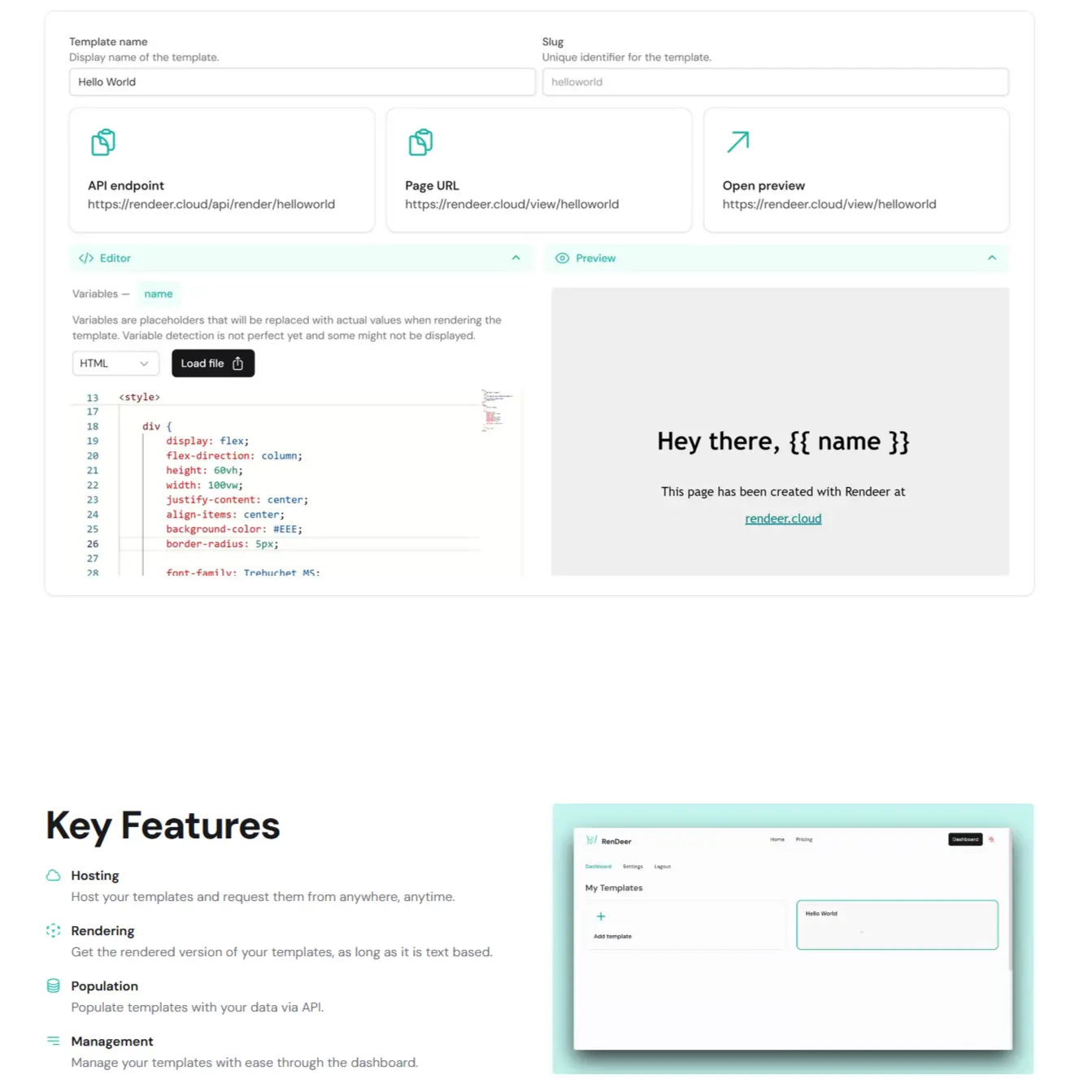
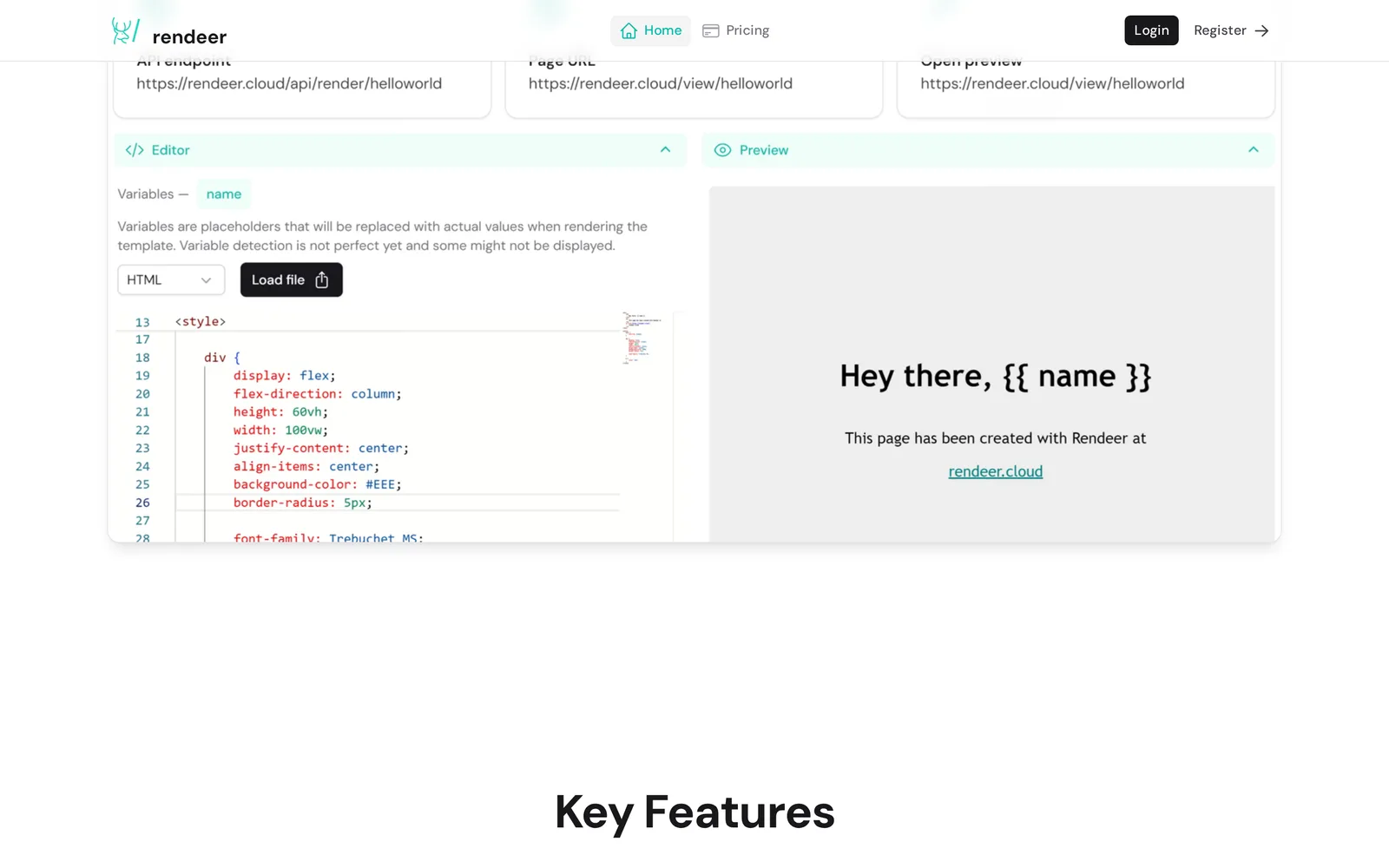
The editor is the heart of the product. You paste or load an HTML file on the left, and Rendeer detects the variables inside it, here a single {{ name }}, and lists them as placeholders to populate. The preview panel on the right renders the result in real time, so "Hey there, {{ name }}" becomes "Hey there, <your value>" as you type.
Every template publishes three things at once: an API endpoint for programmatic rendering, a shareable page URL, and a live preview link, all keyed off the slug you choose. No build step, no deploy, the moment you save, the template is live.
Key features
Host, render, populate, and manage from one dashboard
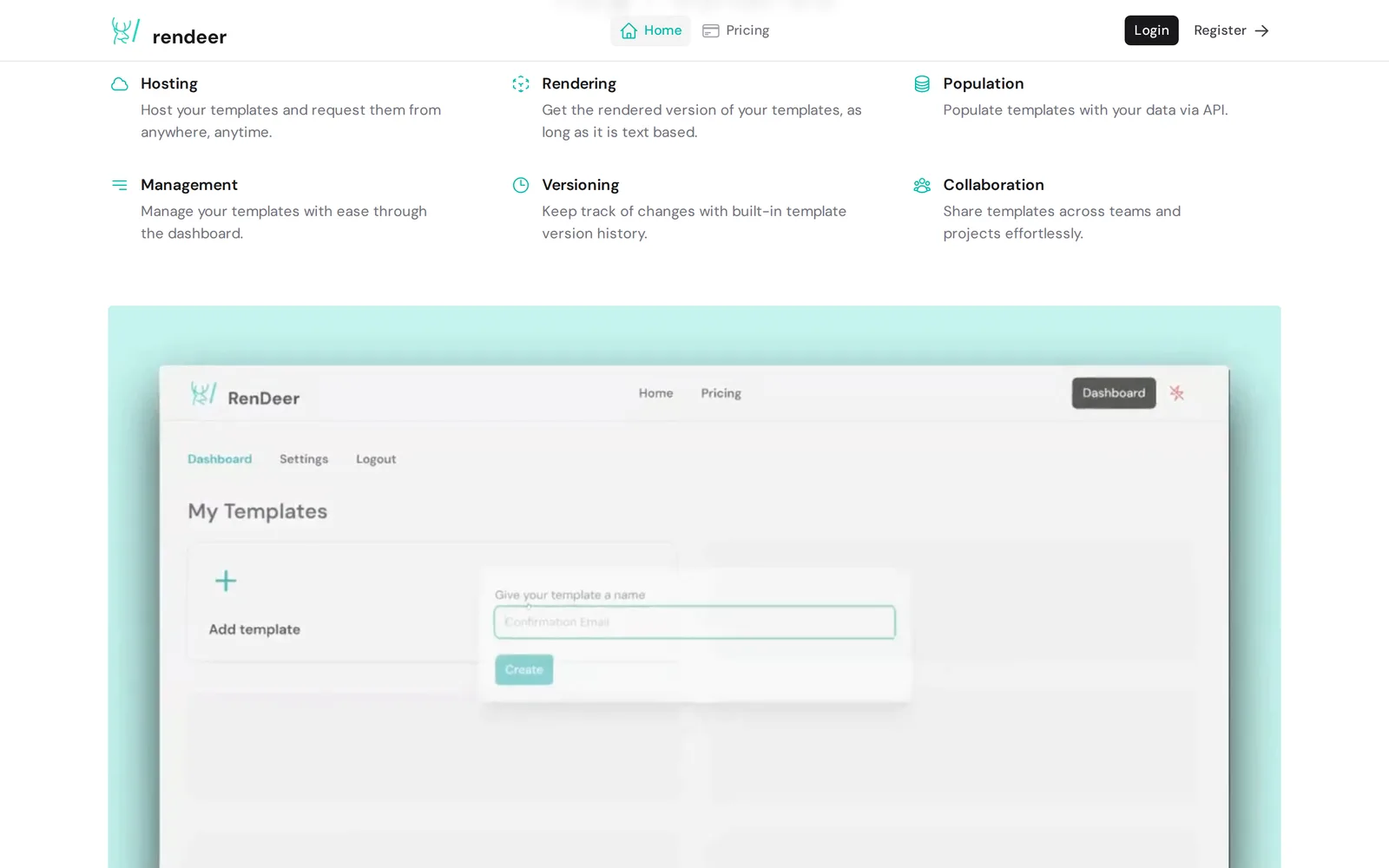
Rendeer is built around six things people actually do with templates:
- Hosting: keep templates online and request them from anywhere, anytime
- Rendering: get the rendered version of any text-based template on demand
- Population: fill placeholders with your own data via the API
- Management: create, organize, and edit everything from the dashboard
- Versioning: track changes with built-in template version history
- Collaboration: share templates across teams and projects
The dashboard ties it together: a "My Templates" view, a one-field "Add template" flow to spin up a new slug, and per-template settings, all wrapped in the same mint-and-ink identity we designed for the brand.
The best internal tools are the ones you build once and benefit from forever. Rendeer is that tool for us, every project that needs a template gets a hosted, render-on-demand endpoint instead of another bespoke build.
Engineering Team
Следующий кейс
ФАЙЛ 11